AI Training · Engineering Schools

Bringing AI into engineering teaching

Module catalogue — common core, CAD / CAM block, complementary modules

Professional software already embeds AI: shape generation in CAD, machining-feature recognition in CAM, assistants for calculation, code and technical writing. That is a good thing, and it is not the subject of this course.

This document offers ideas for modules, not a fixed track. Nothing in it is restrictive: each block can be taken whole, in fragments or not at all, and the durations are starting points. The whole is designed to be discussed and recomposed with the programme director.

It is organised in three blocks. The core applies to all engineering tracks and comes before any assisted hands-on work. The CAD / CAM block is the specialised heart, intended for design and manufacturing cohorts. The complementary modules depend on no specialty: they are relevant in design offices, methods, quality, electrical engineering or industrial computing.

Core — understand before using

All tracks. Three short sessions, before any assisted hands-on work.

01

What is under the hood — and how it plugs in

  • Theory
  • 3 h

Telling apart things that are all called "AI" and have nothing to do with each other: the language model you talk to, the constrained optimisation behind generative design, the pattern recognition built into professional software, the predictive models trained on process data. Different technologies, different failure modes.

What each can do, what data it was trained on, and what it structurally cannot know — starting with the real state of the installation in front of you.

The second half of the session is about the plumbing, because that is what these students will have to install: the difference between a chat window and an API call, what a context window is and why it limits what you can submit, what an agent is, what a task orchestrator does, and what separates a model run online from a model run on a company machine — in cost, performance and confidentiality.


02

What AI invents — and why it is dangerous here

  • Theory
  • 2 h

A plausible value is not a correct value. A language model will unhesitatingly produce a cutting speed, a material grade, an ISO tolerance, a standard's article or a component reference that does not exist. On screen, the error can be corrected; once in production, it has to be paid for.

Case study in class, chosen according to the track: a machining routing, a calculation note, a choice of components, a risk analysis. It is produced entirely by AI, then dismantled line by line against reference sources — charts, manufacturer catalogues, standards text. What the exercise installs is the reflex to verify.

Deliverable — the AI's output, annotated: what is right, what is wrong, what cannot be verified.

03

Talking to AI in the language of the trade

  • Workshop
  • 3 h
  • Computer station

Technical vocabulary is not jargon: it is the parameter setting. Asking for "a rounded edge" and asking for "an R2 blend fillet" do not produce the same result, because the second term carries a geometry, a tool constraint and a functional intent.

The principle applies to every track; the subject matter changes with it. The workshop walks through the vocabulary useful to the target trade and measures each time the gap between an approximate request and an exact one.

Deliverable — the student's personal lexicon: for each term, the definition, the wording that works, and the wording to avoid.

Example subject matter — design and manufacturing track
  • Form features — chamfer, fillet, groove, shoulder, slot, counterbore, bore, undercut, draft.
  • Operations — facing, turning, drilling, boring, tapping, face milling, contouring, pocketing, slotting, threading.
  • Cutting parameters — cutting speed (Vc), feed per tooth, axial and radial depth of cut, engagement, spindle speed.
  • Specifications — dimensional tolerances, ISO 2768 general tolerances, geometric specifications (flatness, coaxiality, runout), Ra surface finish, finishing allowance.
  • Manufacturing context — blank, positioning, workholding, tool accessibility, collision, program origin.

CAD / CAM block — the student is in charge

The specialised heart, for design and manufacturing cohorts.

04

From functional need to dimensioned part

  • Workshop
  • 4 h
  • Computer station

We start from a need expressed in everyday language — "a part that holds this bearing and screws in there" — and turn it into a dimensioned, toleranced drawing. AI serves here as an interlocutor: it asks the questions a design office would ask, flags missing dimensions, points out incompatible specifications.

The teaching point: the student decides every dimension and answers for it. AI is not allowed to decide in their place; it is allowed to ask them why.

Deliverable — the definition drawing, plus the trace of the exchange: what the AI raised, what the student decided and on what argument.

05

The 3D model written as code — the dimension takes back its rights

  • Workshop
  • 4 h
  • Computer station

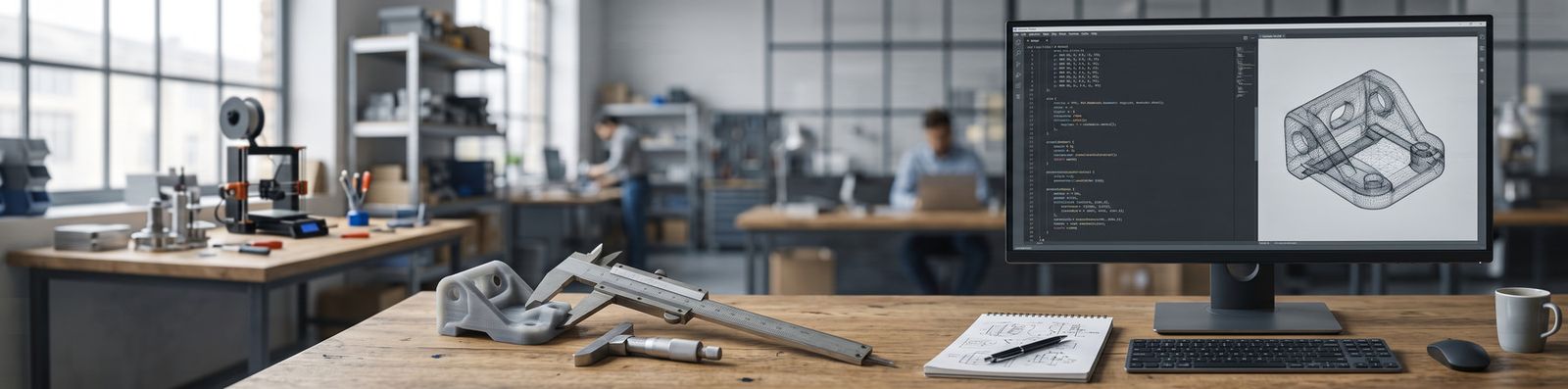
The fairest criticism of assisted 3D generation is that it produces approximate shapes: a part that looks right, but none of whose dimensions is the one you wanted. Parametric modelling through code removes the objection.

AI does not write the shape, it writes the program that builds it — in OpenSCAD or an equivalent language. Once the overall geometry is validated, the student opens the file and changes numbers: a diameter, the width of a groove, the value of a chamfer, the position of a flat, the centre distance of two holes. The model regenerates to the exact dimension. Tolerance stops being a negotiation with the machine and becomes an engineer's decision again.

The starting point can even be a photograph of the part to reproduce: AI draws a first script from it, which the student then corrects dimension by dimension, with hand measurements as support.

What the module installs along the way, beyond 3D: a named parameter in a readable file beats a frozen shape. It can be re-read, versioned, justified in a review, and handed to someone else.

Deliverable — the parametric script of a real part, its dimensions measured with a calliper, and the measured gap between the printed part and the original.

06

Building your own machining-strategy assistant

  • Workshop
  • 6 h
  • Computer station
  • Personal work

The central module. The student does not consume a tool: they make one. From a part, a material, a machine park and a tool catalogue, they build their own assistant — a framework of questions and constraints which, fed with a given part, proposes a reasoned machining strategy.

What the assistant must produce: the order of operations, the successive set-ups, the choice of tools, the cutting conditions, the roughing and finishing passes, the allowances — and for every decision, the reason. A proposal without justification is rejected.

What the student learns by building it is exactly what the CAM software silently decides for them when they click "generate".

Deliverable — the assistant itself, its documentation, and its application to an imposed part. The gap between its proposal and the routing chosen by the student is the most interesting part of the submission.

07

Check, simulate, measure the gap

  • Workshop
  • 3 h
  • Computer station

Systematic comparison of the AI's proposal against three references: tool manufacturers' charts and catalogues, the machining simulation in the CAM software, and the behaviour observed on the machine when the technical facilities allow it.

We measure the gap, document it, and look for where it comes from. This is the module that durably installs the right stance: AI proposes, physics arbitrates.

Complementary modules — all tracks

Independent of specialty: design office, methods, quality, electrical engineering, industrial computing. They combine freely with the core.

08

Programming your own business tool

  • Workshop
  • 6 h
  • Computer station
  • Personal work
Case study — from photo to printed object

A 3D capture application serves as the common thread: a few photos of a real object taken on a phone, mesh reconstruction, then output of a truly printable file — scaling to real millimetres, hollowing, wall thickness, mesh watertightness, reinforcing ribs, STL and 3MF export with the unit declared.

The lesson of the module lies in comparing these two halves: generation has become a commodity, preparation has not. Producing a mesh costs a few cents and anyone can do it. Making it printable, at the right dimension, without material failure, remains engineering work. That is where the student's value lies, and it is what they come to verify by building their own tool.

An engineer who can describe a need precisely can now build the tool that answers it, without writing code in the traditional sense. A small parametric-geometry generator, a 3D photo-scanning application, a standard-parts configurator, a format converter: these are projects of a few hours, not a few months.

The stakes go beyond the exercise. An SME that pays for a full CAD licence every year while using only a fraction of it has an economic decision to make. Knowing how to assess what you can build yourself, what you must buy, and what it would be unwise to replace, is an engineering skill — not a computer scientist's skill.

The module ends on an honest assessment: what the in-house tool does just as well, what it does less well, and the real cost of maintaining it once its author has left the company.

Deliverable — the working application, and the decision note: what it replaces, what it does not replace, what it costs to keep alive.

09

Making test and production data speak

  • Workshop
  • 4 h
  • Computer station

This is the most widespread industrial use of AI, and the one students will meet soonest: measurement series, sensor readings, inspection reports, failure histories. How to explore them, clean them, look for a drift, a correlation, an outlier — without writing the processing chain yourself.

And the lesson that governs everything else: a correlation found by a machine is not a cause. The workshop deliberately has a seductive but false conclusion produced on a real dataset, then asks the student to take it apart. Sample size, hidden variable, selection bias, over-interpretation of a short series.

Extensions depending on the track: statistical production monitoring, anomaly detection, predictive maintenance, design of experiments.

Deliverable — the analysis of a measurement dataset, with what it establishes, what it only suggests, and what it does not allow to conclude.

10

The technical department's memory

  • Workshop
  • 3 h
  • Computer station

How a department capitalises on its conventions — internal standards, usual references and components, available means, document templates — so that AI works within the company's framework and not in a vacuum. Prompt library, naming conventions, continuity from one project to the next and from one intern to the next.

11

Assisting document production

  • Workshop
  • 4 h
  • Computer station

The part of an engineer's work that consumes the most time for the least added value: manufacturing files, drawings, bills of materials, setup sheets, procedures, test and inspection reports, user manuals, review minutes. This is exactly where assistance gives useful time back.

And the rule that applies here more than anywhere: no document goes into production without an identified, named human checkpoint with the means to say no. A wrong manufacturing file propagates all the way to the machine.

Deliverable — a complete manufacturing file produced with assistance, and the list of points the student had to correct themselves.

12

Automating a technical chain without losing control

  • Workshop
  • 4 h
  • Computer station

An assistant that answers in a chat window changes little. What changes an organisation is a sequence of steps that chain together on their own: a dropped file triggers a process, which calls a model, which writes a result, which notifies someone. The module shows how that is built — API calls, task orchestrator, agents, and what distinguishes an agent from a simple script.

Then how it breaks. A step that fails silently, a model that changes version, an input format that drifts, a loop that runs away and costs money. The safeguards are designed with it: logging, error recovery, a spending cap, and above all an identified, named human stop point with the means to say no.

The hosting question is dealt with here: online service or locally run model, what each implies in cost, performance and the confidentiality of company data.

Deliverable — a working automated chain, and its map of failure modes: for each step, what happens when it fails.

13

Building a complete regulatory file

  • Workshop
  • 4 h
  • Computer station
The building sequence

1. Start from the geometry. The drawing, the model, the part. It is the object everything else is about.

2. Load the existing documents. Supplied drawings, surveys, calculation notes, supplier datasheets, test reports.

3. Load the reference sources. Public data available through APIs — land registry, zoning, elevation for a building file; catalogues, material sheets and standards texts for a machine file.

4. Set the constraints. Technical constraints, regulatory constraints, client requirements. They are not negotiable: the file must demonstrate that they are met.

5. Generate and check. The file is assembled, then you look for what is missing: which part is absent, which claim rests on no calculation, which standard reference is invented.

A regulatory file — technical compliance file, machine risk analysis, CE declaration, instructions manual, as-built file, building permit — is an assembly of standardised parts whose structure is known, public and stable. This is exactly where assistance pays off most: the standard provides the plan, the engineer provides the data and the judgement, AI provides the assembly and the completeness check.

The workshop follows a sequence, the same whatever the target file:

The same sequence produces a building-permit application, a regulatory file handed over by a design office to its client for production and approval, or the file that a principal sends to its design office. The student learns a process, not a form.

What AI never provides, however, is responsibility for what is signed.

Deliverable — the complete file, and the register of its weak points: what should be checked by a competent human before signing.

14

Cost and profitability of a technical solution

  • Workshop
  • 3 h
  • Computer station

Two technically valid solutions never have the same price. Depending on the track: machining time, tool wear and tool cost, material cost and hourly machine cost; or component cost, development cost, running cost. And, while we are at it, the cost of the AI itself. The engineer who can put a price on their solution is the one people listen to.

15

Industrial confidentiality and intellectual property

  • Theory
  • 2 h

What you do not send to an online service: a customer's drawing, a geometry under a non-disclosure agreement, routing know-how. Who owns a shape generated by AI. What a subcontracting contract says about transmitted data. The industrial counterpart of the GDPR module.

Assessment

To be decided with the programme director: the two regimes can be combined.

Continuous. Each module produces a usable deliverable, described in its sheet. They are quick to mark and can be compared with each other, because almost all of them test the same skill: telling apart what the student decided from what the machine proposed.

By defence. If the volume allows it, a piece of personal work carried out outside class — the tool from the "programming your own business tool" module, the parametric script, the automated chain — is presented and defended. Allow twelve to fifteen hours of personal work for the preparation, and about fifty minutes per defence.

In both cases, what is assessed is not the sophistication of the tool: it is the relevance of the problem chosen, the soundness of the solution, the clear-sightedness about its limits, and the ability to explain its own construction. A student who presents a simple tool and knows why each choice was made ranks ahead of a student who presents a brilliant tool they do not master.

Indicative volume — fifteen modules, 55 hours, of which 48 in workshop: core 8 h, CAD / CAM block 17 h, complementary modules 30 h. The list is not exhaustive and nothing is fixed: the split, the order and the durations are starting points, to be adjusted with the programme director according to the track, the cohort's level, the technical resources available and the place in the curriculum.

Book a call Thirty minutes on the phone, no obligation.